IaC & GitHub Ingestion + Downloadable Templates
Supported formats (.tf, .bicep, docker-compose.yaml, OpenAPI, Kubernetes YAML), GitHub tree discovery rules, and 1-click downloadable starter templates.
“Your Terraform, Bicep, and .mcp/config.json files already contain your real architecture—stop redrawing them by hand.”
1. Dual-Engine IaC & API Specification Importer
Accessible in both Architecture Studio and Threat Modeling Studio via File → Import IaC / Spec, the IaC & Spec Importer provides two ingestion modes: Upload / Paste Local Files and Import from URL (GitHub / Raw Spec).
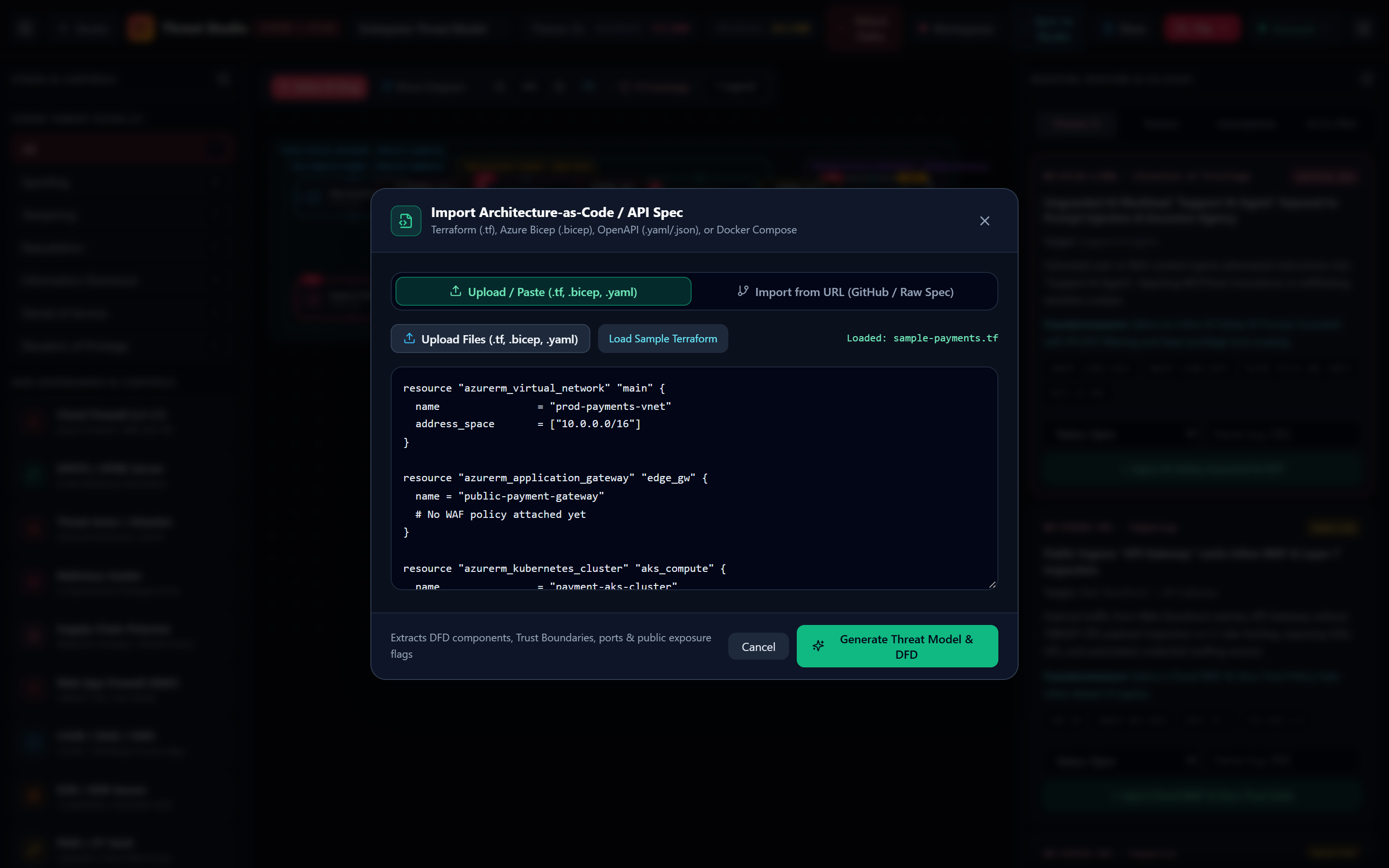
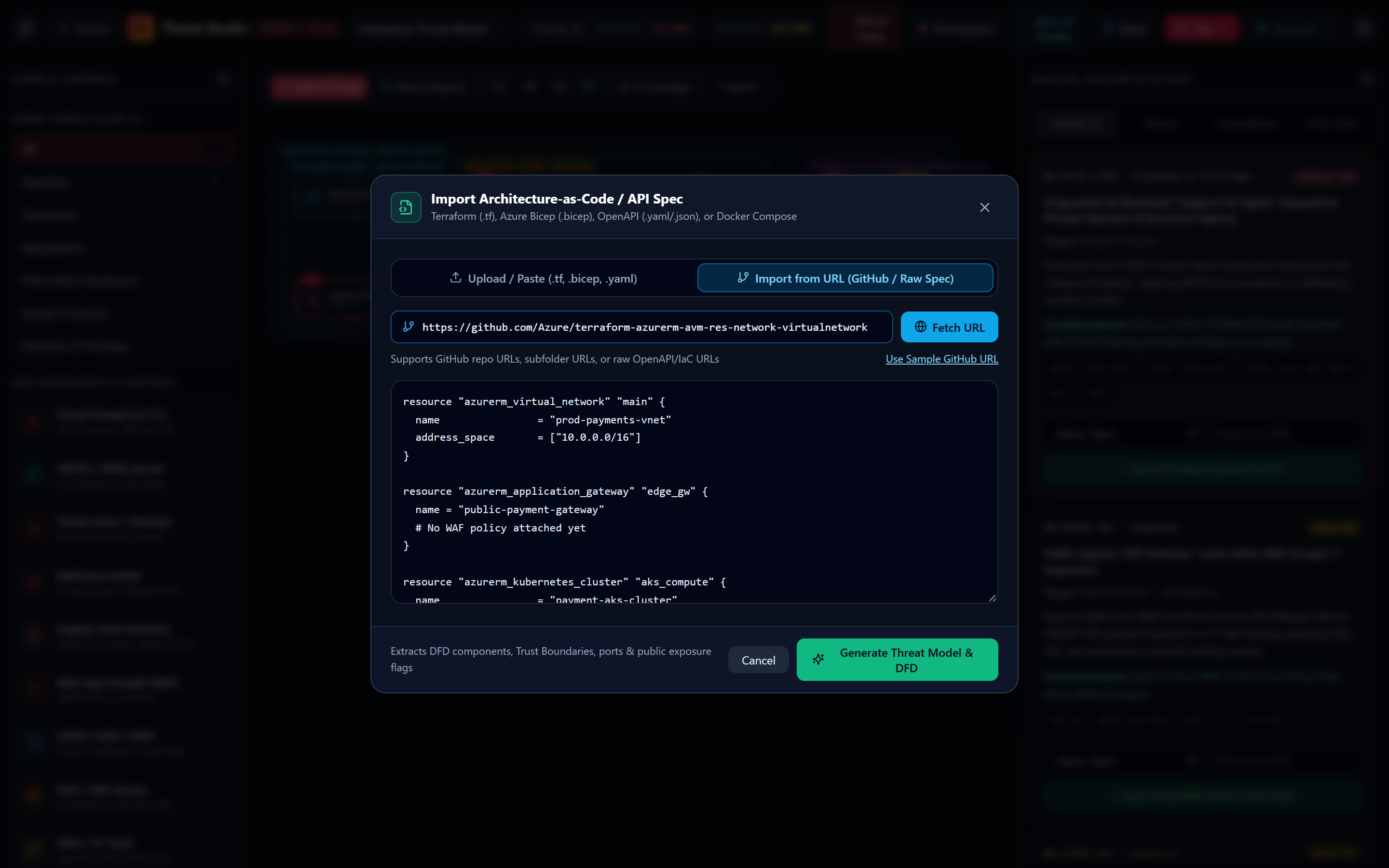
2. How GitHub URL Discovery & Deterministic HCL/Bicep Extraction Work
GitHub Recursive Tree Ranking Algorithm
When you paste a GitHub URL and click Fetch URL, handleFetchFromUrl executes a 3-case resolution pipeline:
- Single Blob URL (
github.com/org/repo/blob/branch/path): Rewrites directly toraw.githubusercontent.comand downloads the exact file with zero API quota usage. - Repository Root or Subfolder Tree (
github.com/org/repo/tree/branch/subpath): Queriesapi.github.com/repos/org/repo/git/trees/branch?recursive=1, filters out non-IaC files (package.json, tsconfig.json, CI workflows), scores candidates (.tf/.bicep/.hcl = Priority 0,docker-compose/openapi/main/network = Priority 1), and downloads the top 8 files (up to 55 KB). - Direct Raw URL: Fetches raw OpenAPI or HCL specs directly over HTTPS.
Automatic Security Posture Inference from IaC Code
During extraction, parseIacLocallyFallback inspects resource blocks for security-critical attributes:
- Public Exposure Detection: Sets
publicExposure = trueif a resource block containspublic_network_access_enabled = true,publicNetworkAccess: 'Enabled', orpublicly_accessible = true. - Plaintext HTTP Detection: Sets edge
transportSecurity = 'plaintext'ifprotocol = "Http",port = 80, ornon_ssl_port_enabled = trueis present, immediately triggeringNM-STRIDE-I01in Threat Studio. - VNet / VPC Boundary Inference: Extracts
azurerm_virtual_networkoraws_vpcnames as the outerparentGrouptrust boundary.
3. 1-Click Downloadable Starter Templates
Download any of these 5 reference IaC & API specification templates to test NodeMotion's importer and STRIDE engine immediately:
Azure VNet (prod-eu-payments-vnet), Application Gateway (missing WAF to trigger NM-STRIDE-T01), Private AKS Cluster, Redis Cache, PostgreSQL Flexible Server (public_network_access_enabled = true), and Key Vault HSM.
Enterprise AI hub with Application Gateway ingress, Container Apps MCP Support Agent, Azure OpenAI GPT-4o Service, Cosmos DB Vector Index, and Key Vault.
Polyglot microservice mesh with Envoy API Gateway (ports 80/443), Checkout Order Service, MCP Copilot Agent, Redis 7.2, Postgres 16, and Kafka 3.7.
REST API specification with Entra ID OAuth2/OIDC security schemes, /v1/checkout/orders PCI route, /v1/customers/profile PII route, and /v1/agent/rag-query MCP route.
Multi-document Kubernetes YAML defining public Ingress, Order Processor Deployment, RAG Orchestrator Agent Deployment, and Ledger Postgres StatefulSet.
There Are No Dumb Questions
Candid answers to the skeptical questions every security engineer asks first.
- ▸Every diagram node, edge, and trust boundary stays synchronized across studios.
- ▸1-click countermeasures update both the visual topology and Residual Risk score.
- ▸Export SARIF v2.1.0, Threat Dragon v2 JSON, Jira CSV, and CISO PDFs anytime.